The project your client can actually log into.
Our own platform, built in-house. It closes the distance between the engineer and the client.
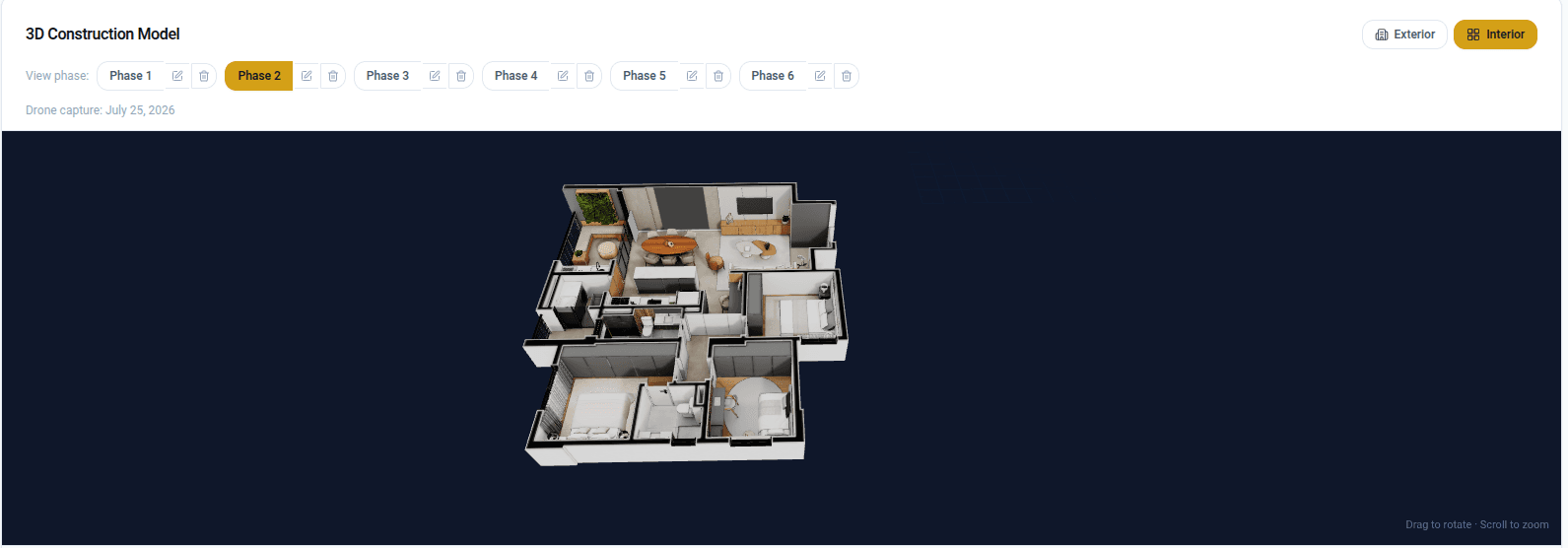
Upload what you already have, photos, videos or PDFs, and your client sees the project progress in a browser. Drone captures, 3D models and 360° tours are an upgrade, not a requirement.
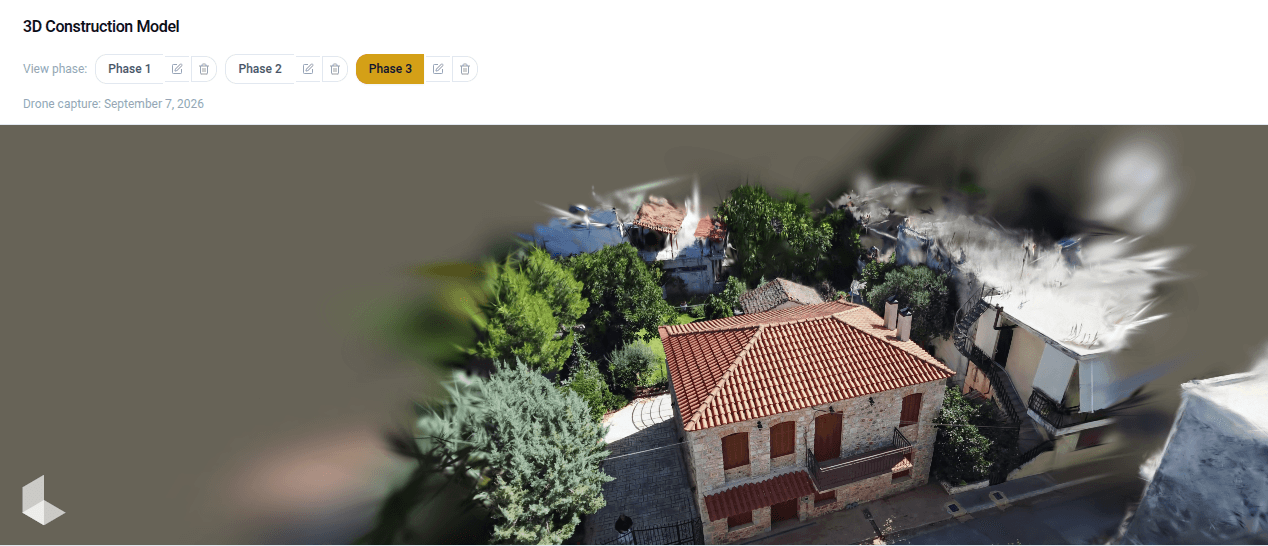
Every update becomes a phase.
Photos, a video, a PDF or a drone capture: whatever you upload sits beside the last one with its date, so the client sees a timeline instead of a replaced file.
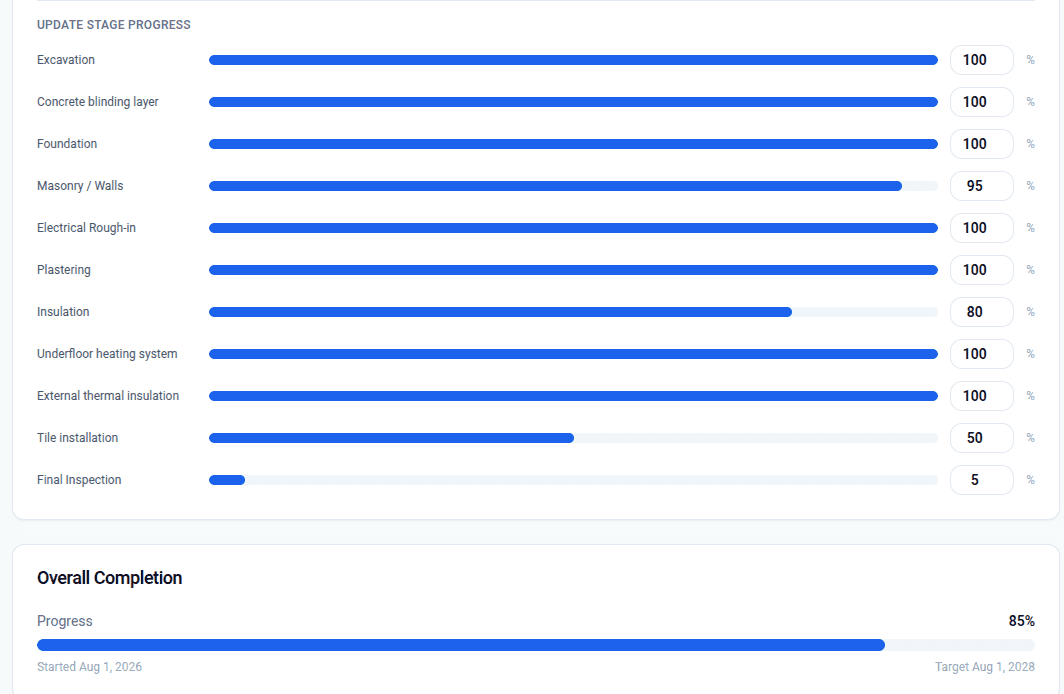
Progress, stage by stage.
Foundation, roofing, plumbing, external works, final inspection, each carrying a live percentage.
A clear schedule.
Start date, target date and overall completion. The client can check whenever they need to.
Stages that fit the project.
A full build from foundation to final inspection, or a small renovation with three stages. The presets are a starting point: keep what fits, drop what does not. Bilingual out of the box.
Two views of the same build.
For the construction company
- 1Create a project and assign it to one or more clients.
- 2Update stage progress, log materials and invoices, and post media-rich updates as work advances.
- 3Upload each drone capture as a phase: 3D model, photos, 360° tour.
For their client
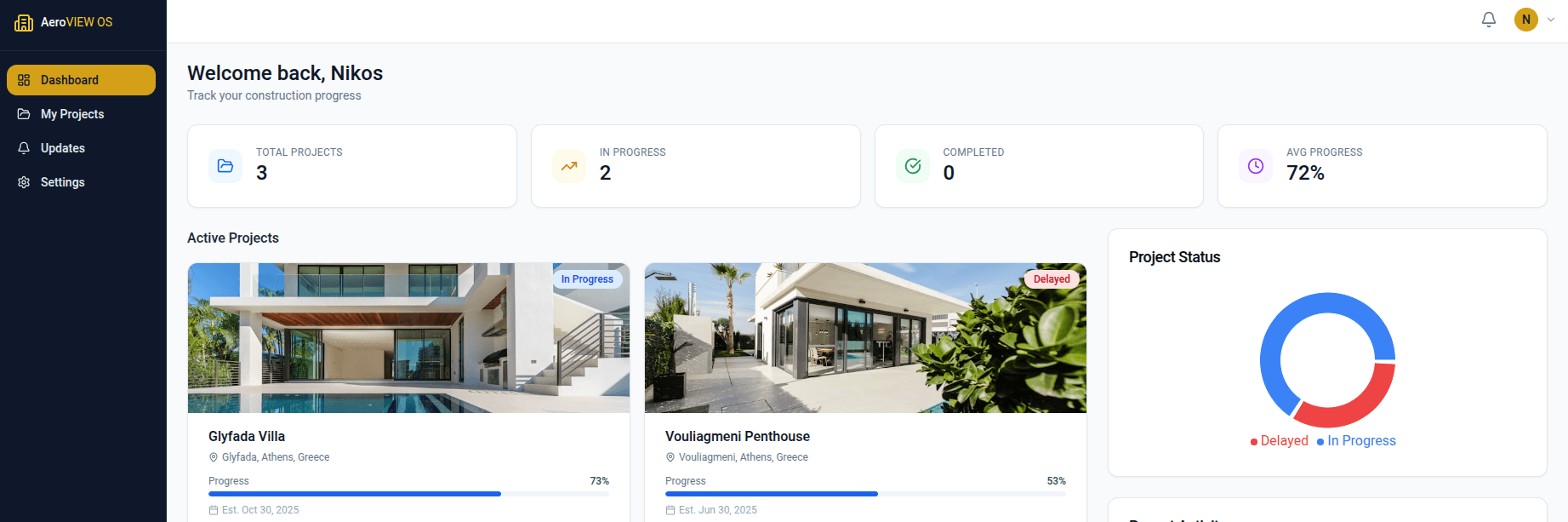
- 1Log in to a personal dashboard of assigned projects.
- 2Explore the live 3D models, 360° tours and photo galleries, inside and out.
- 3Follow stage progress, milestones and materials, and message the company directly, all in one place.